The indicator that shows you
exact entry points
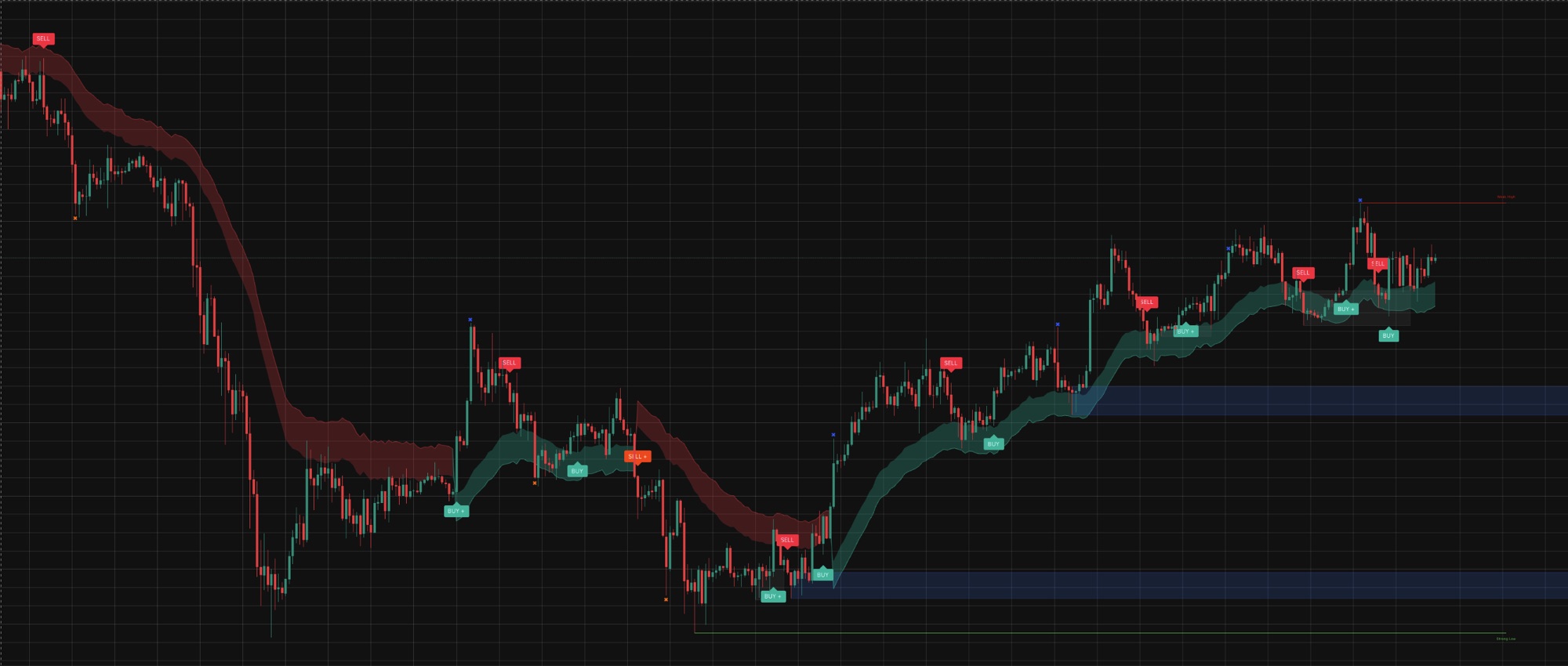

Clear BUY and SELL, market structure, smart money behaviour and market inefficiencies. The indicator maps the chart for you: trend direction, zones where big capital builds positions and unfilled gaps. Everything you need for effective trading, in one tool.
Follow on X, then access in TradingView. No payment.
Numbers instead of promises
How many traders already use the indicator and how much data it has been tested on.
The indicator has precise settings so you can adapt it to your strategy
Six modules in one indicator
Every module works on its own and makes the others stronger.
Buy and Sell on the chart
Buy and sell markers at exact points. You get a signal, weigh it up, open the position. The take profit zone is marked too.
AI signal filter
Every signal is scored on several parameters at once. Stronger ones come with a plus sign, they are more reliable than regular ones.
Candle colour by trend
Green candles mark an uptrend, red means a decline, blue signals uncertainty. Easy way to read the trend at a glance and precisely.
Trend Wave
The trend line shows the direction of the move and also acts as support in an uptrend and resistance in a downtrend.
Order blocks
Zones of interest where big capital builds positions. A blue block acts as support, a red one as resistance. The higher the timeframe, the stronger the block.
Fair Value Gaps
A gap price left behind during a fast move. The market often comes back to fill it and bounces off the zone.
Four steps to an entry
You can trade on Sell and Buy signals alone. The entry gets sharper when extra arguments line up around the signal.
A signal appears
Buy or Sell on the chart. A plus next to it means the AI filter rated the signal as reinforced.
Check the trend
Candle colour and the side of Trend Wave should match the signal direction.
Extra arguments
An order block or an unfilled gap in the same direction. The stop sits neatly behind the block.
Make the decision
Several arguments line up and risk to reward is at least 1 to 2, the entry looks strong.
The indicator strips noise from the chart and highlights strong spots. There is no magic pill and no free money button here. The decision and the risk stay with you.
Three clicks.
Zero payment.
We do not sell the indicator. We give it to followers as a thank you for subscribing and staying active in our social media.
Click the button
Leave your email and X handle. Takes ten seconds.
Check your email
We send a TradingView invite and a short setup guide.
Trade
Add the indicator to your chart, signals show up on their own.
Frequently asked questions
Do I need a lot of trading experience?
No. The indicator is simple enough: in an hour you will cover the whole feature set, sort out the settings and understand how to use it. If questions remain, write to us and we will help.
Can I open trades on signals alone, without thinking?
No. Look at market conditions and the extra arguments around the signal, and tune the settings to the situation: a with-trend move and a counter-trend move need different filtering strictness.
Do I need a paid TradingView plan?
No, the indicator works on the free plan too. Any instrument: crypto, forex, indices, metals, stocks, timeframes from M1 to D1. Alerts are set up with native TradingView alerts and arrive in the app, by email or to a webhook.
How is it different from other indicators?
Signals pass through a strength filter, reinforced ones are marked with a plus, so you see which entry is safer. The same chart carries structure markup, order blocks and gaps: the context behind a signal is visible at once, no need to stack five scripts.
Is this investment advice?
No. The indicator marks up the chart and shows points where the setup looks strong. Trading decisions and risk stay with you.
Put the indicator on your chart
in two minutes
Follow on X, then get the indicator by email and use it without limits. Clear signals arrive right on your chart.